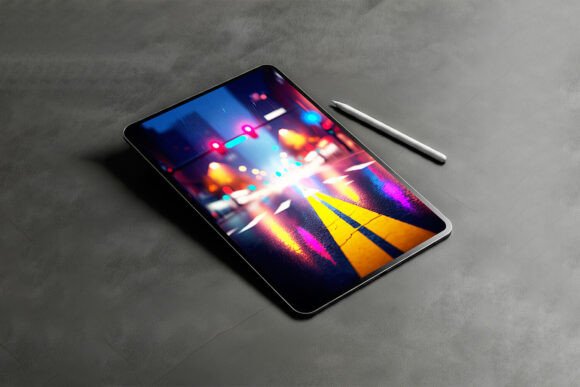
Editable Tablet Mockup PSD for Branding Success
In the visual-first landscape of modern digital marketing, static screenshots rarely capture the imagination of potential clients or users. This is where an editable tablet mockup PSD for branding becomes an indispensable asset in your creative toolkit. Rather than presenting a flat, lifeless image of an application or website, these layered Photoshop files allow designers and marketers to place their interfaces within photorealistic devices. The result is a tangible representation of digital products that bridges the gap between abstract code and user experience.
For professionals ranging from freelance UI designers to agency art directors, the value lies in context. A well-executed mockup does not just display content; it sells a lifestyle and a use case. When you utilize high-quality PSD resources, you are essentially borrowing professional photography and lighting setups without the overhead of hiring a studio. This efficiency allows small businesses and solo entrepreneurs to compete visually with larger corporations, ensuring their branding materials look polished, expensive, and trustworthy.
Core Characteristics of High-Quality Mockups
Not all PSD files are created equal. When evaluating an editable tablet mockup PSD for branding purposes, technical specifications directly influence the final output's credibility. The most effective files utilize Smart Objects, a non-destructive layer feature in Adobe Photoshop. This functionality allows you to double-click a layer, paste your flat design, save, and watch it automatically conform to the perspective, shadows, and curvature of the tablet screen. Without this feature, manually warping designs to fit device bezels is tedious and often yields unconvincing results.
Beyond basic placement, superior mockups offer extensive customization options. Look for files that include separate layers for screen glare, body color, and background elements. Being able to toggle screen reflection on or off can drastically change the mood of the presentation. Similarly, customizable device colors ensure the hardware aligns with specific brand guidelines. If your client’s identity relies on matte black aesthetics, a silver iPad mockup will create cognitive dissonance. The best resources provide neutral, adaptable environments where the focus remains squarely on your interface design rather than distracting background clutter.
Resolution and Color Accuracy
Professional presentations demand high fidelity. Ensure the PSD offers a resolution of at least 4000 pixels on the longest side. Low-resolution mockups pixelate when zoomed in during client presentations or printed in brochures. Additionally, verify that the file supports CMYK conversion if you intend to use the imagery for physical collateral like trade show banners or business cards, as RGB-only files can result in dull colors when printed.
Practical Applications Across Industries
The versatility of an editable tablet mockup PSD for branding extends far beyond simple app store listings. Different sectors leverage these assets to solve unique communication challenges.
- App Developers and Startups: For crowdfunding campaigns or investor pitch decks, showing a functional-looking product is crucial. Mockups validate the concept before development is complete, helping secure funding or early adopters by making the intangible feel real.
- Educational Institutions and EdTech: Tablets are synonymous with modern learning. Educators and course creators use these visuals to demonstrate e-learning platforms, digital textbooks, or classroom management tools. Seeing the software on a tablet implies accessibility and ease of use for students and parents.
- Creative Agencies and Freelancers: Portfolio presentation is everything. Wrapping client work in a premium device frame elevates perceived value. It shows prospective clients that you understand how designs live in the real world, not just on an artboard.
- Corporate Training and Internal Comms: Large organizations use branded mockups to announce new internal tools or HR portals. Familiar device framing reduces resistance to change by associating new software with personal technology habits.
Enhancing User Experience Through Visual Context
One of the most overlooked benefits of using an editable tablet mockup PSD for branding is its role in UX research and stakeholder approval. Stakeholders often struggle to visualize responsive design or touch interactions from wireframes alone. By placing the design in a realistic tablet environment, you provide immediate scale cues. Viewers instantly understand button sizes relative to a thumb tap zone, text readability at arm's length, and navigation hierarchy.
This contextualization facilitates better feedback loops. Instead of vague comments about "layout," clients can point to specific areas where elements feel cramped or inaccessible on the actual device form factor. Furthermore, consistent use of branded mockups across documentation creates a cohesive narrative. When every deliverable, from initial concepts to final handoffs, maintains the same visual language, it reinforces brand recognition and professionalism. This consistency builds trust, signaling that the team pays attention to detail at every stage of the project lifecycle.
Streamlining the Design Workflow
Efficiency is a critical metric for any creative professional. Creating custom device renders from scratch using 3D software requires specialized skills and significant render time. An editable tablet mockup PSD for branding democratizes this quality. Once you have a library of reliable templates, updating visuals takes minutes rather than hours. This speed is particularly valuable during agile sprints where marketing assets must evolve alongside product iterations. Maintaining a standardized set of master PSD files ensures that even junior designers can produce senior-level presentations without extensive training.
Selecting the Right Asset for Your Needs
Choosing the appropriate mockup requires balancing aesthetic preference with practical constraints. Before downloading or purchasing, consider the target audience's device preferences. Presenting an Android-specific interface on an iPad Pro might alienate tech-savvy users who notice the mismatch. Conversely, using generic, unbranded tablets offers neutrality but may lack the premium association of recognized hardware.
Licensing is another vital consideration. Many free resources restrict commercial use or require attribution. For client work, always invest in properly licensed assets to avoid legal complications. Read the terms carefully; some licenses cover digital use but exclude merchandise or template redistribution. Finally, test the file structure before committing to a purchase. Download sample files when available to verify Smart Object functionality and layer organization. A poorly organized PSD with unlabeled layers can negate the time-saving benefits, turning a quick update into a forensic investigation.
Ultimately, an editable tablet mockup PSD for branding is more than a decorative overlay; it is a strategic communication tool. It translates digital concepts into relatable experiences, enhances stakeholder understanding, and elevates the perceived value of your work. By selecting high-quality, customizable assets and applying them thoughtfully across various touchpoints, you ensure your digital products resonate authentically with your intended audience. In a crowded marketplace, that extra layer of polish often makes the difference between being scrolled past and being remembered.